Settings
Behind the gear in the camera's top row, next to RAW in photo mode and next to LOG in video mode.
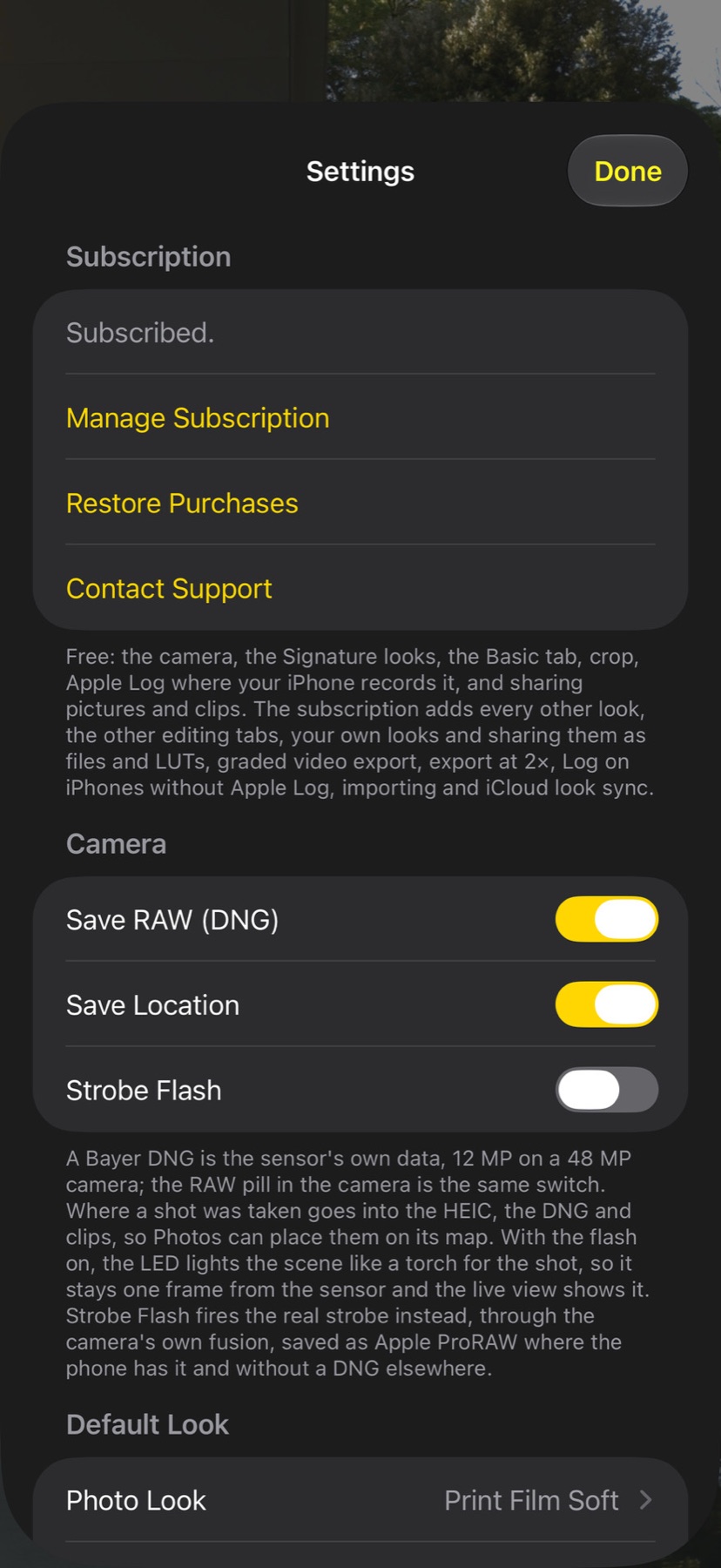
The switches
Changes take effect as soon as the sheet closes.
| Setting | What it does |
|---|---|
| Save RAW (DNG) | On by default. A Bayer DNG is attached to every shot. The RAW pill in the camera is the same switch. |
| Save Location | On by default. Where a shot was taken goes into the HEIC and the DNG, and into clips, so Photos can place them on its map. Off, nothing about the place is stored. |
| Photo Look / Video Look | Native by default. The look every new photo, or clip, gets in the Gallery as it arrives; the camera itself still captures the plain frame and the RAW. Any shot can be given another look afterwards. |
| Export at 2× | On by default. Every saved or shared picture is resampled to twice its width and height. The DNG is never resampled. |
| Subscription | Free: the camera, every look, the Basic tab, crop, Apple Log where the iPhone records it, graded video export and sharing. The monthly subscription, with a 1-week free trial, adds the other editing tabs, saving your own looks, Log on iPhones without Apple Log, importing photos and looks, and iCloud look sync. Subscribe, restore or manage it here; a locked tab or button opens the same screen. |
| Sync My Looks with iCloud | Part of the subscription; on by default. Your own looks follow you to every iPhone and Mac on the same iCloud account, sealed. |